Miss Rhoadie's Custom Gifts: Zazzle tutorial

Pages

Zazzle

Home + Pets
Showing posts with label Zazzle tutorial. Show all posts

Monday, June 3, 2024

Editing the Titles and descriptions to my Zazzle graduation cards

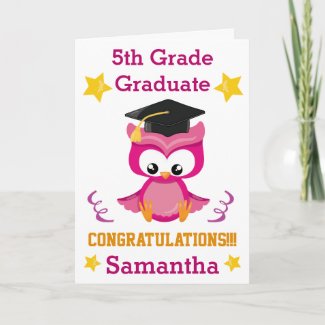
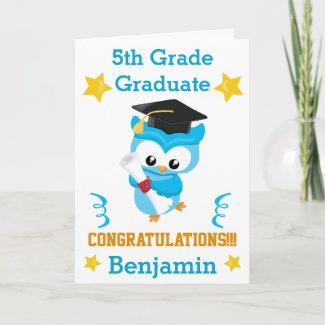
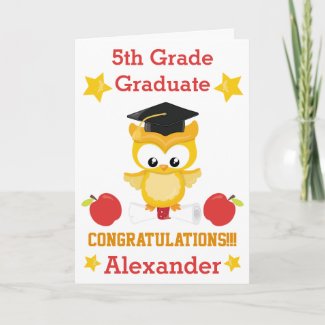
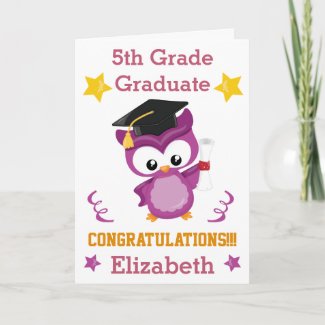
     Good morning.  I just thought I share a quick tutorial on editing the titles to some of my Zazzle graduation cards.   What inspired me to write this post was that I noticed I was making sales for some of my cards (such as these below)


But not for the others (like these below)


     As you see there is not much difference between these 4 cards except the colors.  I doubt that the colors were the reasons for the lack of sales.  The only conclusion I could come to was that the cards that sold had a title and description that included the colors of the cards, and the cards that did not sell did not.  

   To remedy this, I decided to edit the titles and description of the cards to include the color theme.  Hopefully this will increase sales.  I will also add the color theme to the tags for all of these cards since it was lacking. I will keep you posted on the outcome.

Monday, July 18, 2022

Zazzle Tip: Products with Many Views but no sales

Have you ever had a product on the Zazzle platform that has many views but no sales?  What is the mystery behind it?  Is it misspellings, errors, etc.  Or is it the design itself.  What causes customers to view a product but not make a purchase?  How can you convert those views into sales?

Below I have 3 products that are among my top 24 most viewed products of all time.  These products have many views but not a single sale. 


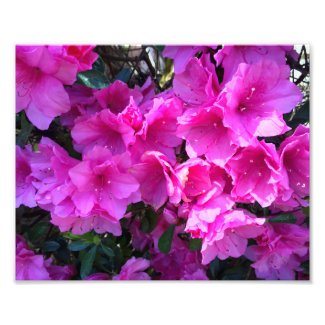
1.  The first product is my "Pretty Pink Azaleas in Bloom" Photo.  This product was created on May 18, 2016 and currently has 1,294 views but no sales.   I'm guessing that customers might have typed "Azaleas" into the search bar and maybe the customers liked the picture but since the product is a photo, they don't see a need to make a purchase.  However, when I repurposed this photo and incorporated it into a "Get Well Soon" Card, I did make a sale.

 Pretty Pink Azaleas in Bloom


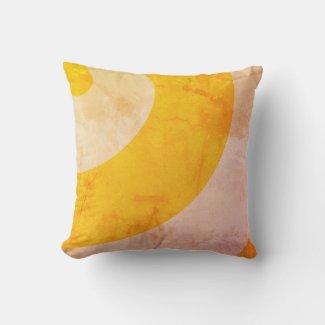
2.  My second product that has many views but no sales is this lovely pillow below.  The pillow was made December 7, 2016, has 723 views, and no sales.  I did notice that the views began coming in rapidly this year.  However, it hasn't been viewed in over 5 months. 

I am guessing that maybe this pillow ended up on someone's social media where people clicked on it out of curiosity or just to admire the design but not to make a purchase.  


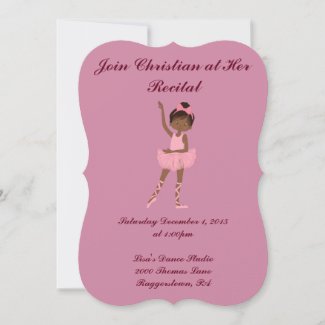
3.  Last but not least is this "Little Girl's Ballerina Dance Recital".  This invitation was created September 24, 2015 with 697 views as to date. It was last viewed 18 days ago.  I think that I need to recreate the invitation to include ballerinas of various ethnicities to make the invitation appeal to a  more multi-cultural audience.  


Monday, January 3, 2022

All of My Zazzle Stores are 100% Complete

 This is a huge accomplishment for me.  All seven of my Zazzle stores are now 100% complete.  This means I have fulfilled the requirements such as creating 10 products, 10 collections, 10 media items, sharing products and collections, etc.  It took me a while to do this for each of my stores because I have to admit,  I procrastinated for years.  However, part of my 2022 New Year's Resolution is to improve my stores and completing this is the first big step.  

Tuesday, October 12, 2021

Using Zazzle descriptions to market your product

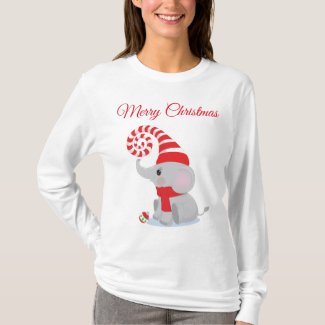
A marketing tip that has been very useful for me is adding a "gift giving idea" writeup to my product description.  Sometimes when designing products I try to imagine how my customer would use them.  For example take this shirt below.


This shirt has been in the Zazzle marketplace for a couple of years.  However, I want to increase sales this holiday season, in particular bulk sales.  I did not want a customer to order just one, but several.  So I thought of adding a sentence to my description that this shirt would be great for family holiday photoshoots.  As a selling point, I also mentioned that this item can be personalized to feature photos and text.  

This will give the prospective shopper who may have thought this was a cute shirt for themselves to purchase one for the whole family in order to take holiday photos.  Maybe a store owner or even a photographer can purchase them as merchandise for sale.  I look forward to seeing how well these shirts will do this holiday season.  

Wednesday, August 4, 2021

Analyzing my Zazzle Stores: Identifying Top 10 Best Selling Products

 This morning I did a simple analysis of my main Zazzle Store, Miss Rhoadie.  My goal was to determine my top 10 best selling products, and try to determine why they are best sellers. 

My best selling items

 The majority of my best selling items are t-shirts.  The shirts contain templates for customization (both photo and text), and are for a specific person (mom, dad, grandparent).  

Why I believe these t-shirts are best sellers?

I believe these shirts are best sellers for a number of reasons.  First they are unique personalized gifts with sentimental value that can be worn for special occasions as well as everyday wear.  Secondly, they contain very simple photo and text templates.  Third, they are gifts for a specific audience; mom, dad, granddad which is great for SEO.  Fourth, these items can be purchased all year long.  Fifth, they peak during the holiday season, as well as "mom and dad" themed holidays such as Mother's Day and Father's Day. 

My second best selling products

The second best selling products in my store are greeting cards.  Similar to the t-shirts, these cards features simple photo and text templates.  They are a Mother's Day Card, Father's Day card, and a Birthday Card. The birthday card sells consistently throughout theyear while the other two cards sell around their respective holiday.  

Why I believe these greeting cards are best sellers

I believe these greeting cards are best sellers for the same reasons as the t-shirts.  First they have sentimental value, these cards are a gift for a specific person on a specific occasion.  Second, the cards can be easily customized with photo and text.  Third, they are gifts for a specific audience, Mom and Dad.  Fourth, one of the best sellers can be sold all year long because it is a birthday card.

My remaining best selling items

The remaining best selling items are my personalized puzzle (with photo and text templates), a personalized text bath towel set, and a personalized birth stats pillow both with customized text templates.  

Things that stood out to me

Some of my best selling products hasn't sold in months.  Such as my personalized jigsaw puzzle.  It actually became a best selling during the covid lockdown from March - June 2020.  However, it has not sold in great numbers since then.  I conclude that people were purchasing puzzles more because they were stuck indoors.  However, now that people are easing out of the house more, I am going to have to specifically target puzzle lovers.  

A second item that hasn't sold well is my birth stats pillow.  This item hasn't sold since October 2020.  It was created September 2017, sold within a month and peaked during the Christmas season from October 2017- January 2018.  That is when I saw the highest volume of sells.  However, those sells has been scarce since then.  I will have to find creative ways to continually keep that item before my target audience.  

I also noticed that most of my customers (approximately 80%) are women.  And my bestselling products are personalized gifts that women will give to their spouses, parents, children or friends. 

Where I need to focus 

I need to direct my focus on personalized gifts that women purchase.  I will even go through my emails and chat messages that my customers have sent throughout the years to understand their needs better. 

I also need to market the best sellers that had slowed down in sales more.  

Thank you for reading.  I hope you have gotten something especially if you are trying to understand how to better position your brand in the Zazzle Marketplace.  


Thursday, November 12, 2020

Google Analytics is a game changer for my Zazzle Store

 Wow, why didn't I start using this tool early.  I am able to see how much traffic I receive a day and what pages people are visiting.  I can even see the times of day I get visitors and where the traffic is coming from.  It is a real good tool for my Zazzle Store. 

Tuesday, November 3, 2020

Using Pinterest Saved Pins to help with Zazzle sales

Pinterest is currently the top website that gives me the most referrals.  Lately I have been analyzing it more detail in order to optimize my sales.  

Starting out, I was more interested in link clicks since that is how I get the referrals.  However, I started looking at who was saving my pins and the type of boards they were being saved to.  This helps me know what shoppers are looking for and what they are using the product for.

For example one of my most popular pins is that of a toucan bird.  As I looked at the saved pins, most of the pins were saved to art related boards, but I noticed one board was a child's educational themed playroom.  This gave me ideas for more items to pin and how to promote better.  

I even edited the most popular pins to add a description based on the product uses so those keywords can attract customers.  I will also work on adding product use to the items I have for sale on Zazzle's website.  

Friday, October 23, 2020

Pinned tweets for promoting Zazzle products

   Pinned tweets are a good way to promote your Zazzle products.   I started doing this a month ago and now I get about 2x the number of retweets with a pinned tweet than without it.  I try to leave the pinned tweet up for a week, or until I reach a certain number.  It is very important for getting exposure for your products because the more views, the more potential customers will see your items and purchase!

Monday, October 19, 2020

Zazzle How To: Improving my Zazzle Descriptions

       In this video, I walk you through how I improve my Zazzle descriptions.  I decided to edit my descriptions after I recently made a sale on a stylish keychain that hasn't sold in three years.  The last time it did sale it was a bulk sale However, after I improved my tag descriptions last month, that is when I made the sale shortly thereafter.  This caused me to reevaluate the title and product description.   My title was fine but my product description needed work.  It was too wordy and did not read well.  Check out the process in this video!


Monday, June 22, 2020

My Zazzle Summer 2020 Sales and Marketing Plan

   In order to be successful on Zazzle, I have learned that I need to have a plan. Just as successful companies don't haphazardly throw products into the market, they strategically plan. So I decided this summer to think of products that will do well during the summer months and promote them. Hopefully I can come up with 20 but here are twelve I am looking at. 
 1. Aprons: Themed such as BBQ, Summer, Tropical, Family etc. I am imagining people grilling outdoors in small intimate, family like environment. 
 2. Beach towels 
 3. Tote bags 
 4. Cornhole 
 5. Ping Pong Paddles and Balls 
 6. T-shirts 
 7. Flip flops 
 8. Women's tanks 
 9. Water bottles 
 10. Baby bodysuits 
 11. Outdoor pillows 
 12. Mason Jars Marketing plan Making video slide shows showcasing my products on Youtube and Pinterest. I have especially seen thousands of impressions on Pinterest alone.

Friday, January 10, 2020

Customize a Zazzle Valentine's Day Card

     Learn how to customize a Children's Valentine's Day card from Zazzle.  Here you will learn how to customize text, add photos and so much more.  Check out the video today!


Thursday, June 14, 2018

Zazzle Customer Tutorial: Customizing your reusable grocery bags

         In this slideshow series, I walk you through the simple steps to customize your own reusable grocery bag using Zazzle. Whether you want to add a name, photo, inspirational quote, or your own artwork, this tutorial shows you exactly how to bring your personal touch to an everyday essential. Perfect for gifts, branding, or making your grocery runs a little more stylish, these reusable bags are both eco-friendly and uniquely you. Watch the slides to see how easy and fun it is to design a bag that fits your personality!

Thursday, December 14, 2017

Tutorial for Text Customization on Zazzle's Otterbox Phone Case MissRhoadie

       In this tutorial you will learn how to customize your Zazzle Otterbox Phone Case.  Specifically, you will learn how to customize text using Zazzle's design tools.  These otterbox cases cover iphone, samsung, google pixel, etc. 

Phone case in the tutorial: Otterbox Case


Friday, December 8, 2017

How to customize your Otterbox phone case by Zazzle: MissRhoadie Tutorial

This is a tutorial on how to customize your Otterbox phone case by Zazzle.  Zazzle has so many built in features that allows customization such as filters, text, and image options.  Let us explore them below.


Sale on Otterbox Phone Cases: MissRhoadie

      Today, December 8, 2017, Zazzle is having a sale on Otterbox Phone Cases.  With 20% off, choose cases to protect mobile devices such as the Apple Iphone X, Apple Iphone8/7, Apple Iphone8/7 Plus, Apple Iphone 6, Samsung Galaxy 8/8+ , Google Pixel/Google Pixel XL and so much more.

Choose from a variety of Device options


Apple IphoneX
Samsung galaxy 8
Google Pixel


       These amazing Otterbox phone cases feature a lovely pink and blue ombre design.  The top of the case is a fuchsia pink shade and cleverly blends into blue.  These sturdy cases protect the phone from bumps, drops, and shocks.  You can even customize them however you like.  Check out some of the awesome built in filters below.

Amazing Filters

Black and White
Sepia


Add your name or photo

The sky's the limit to how you can customize these amazing cases.  Add your name, photo, etc. to the case.   

Here I on the left selected "Apple iphoneX" under device type and selected "Symmetry" for style.  I selected "mix berry jam" for the shell color.  

I then clicked customize and added a photo stock to display how beautiful family photos look on the phone.  I then added "Love" in the upper right hand corner with the "Blooming Elegant" font.

On the right I also selected Applie iphone X for device and "Symmetry" for style.  I used "muted waters" for the shell color.  The text is also using "Blooming Elegant" font which is centered with my name.  


Stay tuned for my step by step tutorial on how I did these customizations.  

Purchase this case by clicking here today!